
Your team reports from the field, but by the time updates reach a dashboard, the day is over. Real time reporting should mean answers now, not tomorrow morning, especially when WhatsApp is already where your staff actually communicates.
This review explains how Tasks.Bot handles real time reporting automation, covering instant reports, live day tracking, deadline reminders, approvals, and face-verified attendance inside WhatsApp. You will also see its pricing, beta status, and where it falls short, so you can decide if it fits your team.
What Is Tasks.Bot?
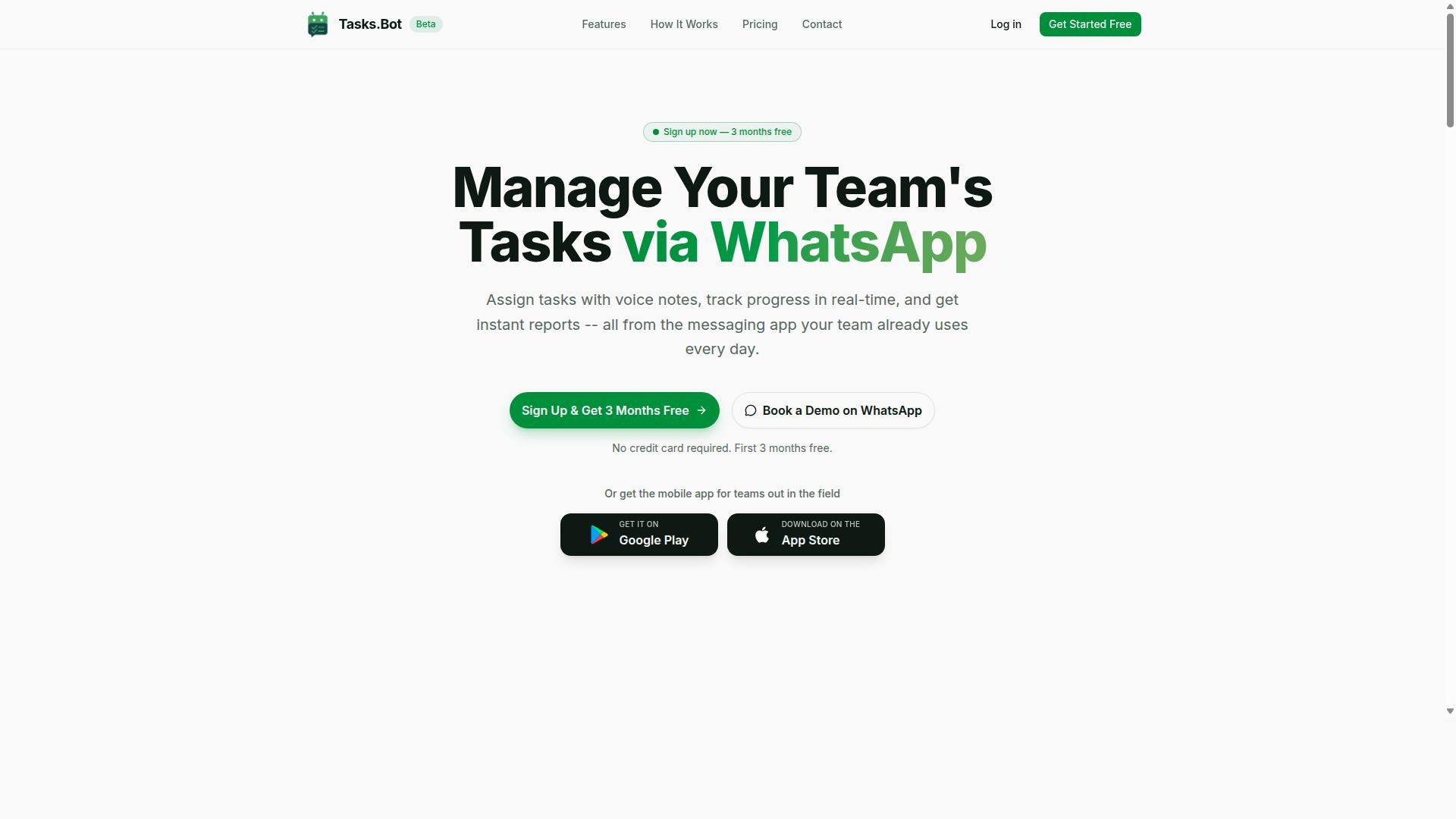
Tasks.Bot is a task management platform that operates entirely within WhatsApp, enabling teams to assign tasks, track progress, and receive reports without leaving the messaging app. For anyone evaluating it for real time reporting automation, that WhatsApp-first design is the defining feature, not a side detail.
Instead of asking workers to learn a new tool, the platform meets them in a channel they already check dozens of times a day. Tasks get assigned, updates get posted, and reports come back as part of the normal flow of messages. A mobile app for field teams extends the same system to staff who are rarely at a desk.
Tasks.Bot is a cloud-based SaaS product available globally. The service is currently in beta and offers a free trial period, so teams can evaluate how it fits their reporting habits before committing. Because the core workflow lives in messaging rather than a separate dashboard, the barrier to adoption stays low.
For this honest review, the key question is whether that architecture supports dependable real time reporting automation. The sections ahead examine who it suits, how reporting works in practice, and where the trade-offs sit.
Who It's Built For: WhatsApp-First Teams and Field Staff
Tasks.Bot is designed for teams that rely on WhatsApp for communication, especially those with field staff who need to manage tasks, attendance, and payroll-ready hours. If your operation already runs on group chats and voice notes, this fits the existing rhythm rather than fighting it.
The biggest practical advantage is zero new app installs or accounts for most users. There is no onboarding gauntlet, no forgotten passwords, and no training session before someone can receive their first task. Field staff simply keep using the messaging app they already know.
Typical users include:
- Field teams that need task management alongside attendance tracking
- Supervisors who want progress updates without chasing individual messages
- Operations that need payroll-ready hours collected as work happens
The site mentions that hundreds of teams already use the service, which suggests the model resonates beyond a single industry or region. That breadth matters for a review like this, because reporting needs vary widely between a small crew and a distributed workforce.
For real time reporting automation specifically, this audience profile is a strong match. When updates are captured in WhatsApp as tasks are completed, the data arrives continuously instead of being reconstructed later. That is the foundation any live reporting layer depends on.
Is Tasks.Bot Good for Real Time Reporting Automation? The Direct Answer
Yes, Tasks.Bot is effective for real time reporting automation, but with specific strengths and limitations that teams should weigh. It delivers instant reports and a live day tracker directly inside WhatsApp, which means updates reach you as work happens rather than after the fact.
That said, Tasks.Bot is still in beta. Teams evaluating it for a mission-critical reporting workflow should factor that status into their decision. The core reporting mechanics work, but the product is evolving, and readers looking for a mature, fully settled platform may want to test it thoroughly first.
Where it fits best is the middle ground many teams occupy: they want real time reporting automation without building data pipelines, hiring a developer, or managing yet another dashboard tool. Tasks.Bot handles that job inside a chat app the team already uses daily.
Where it fits less well is the enterprise end of the spectrum. If your reporting depends on deep API integration, webhook support, or pushing data into an external business intelligence stack, Tasks.Bot's current capabilities may not cover everything you need. This honest review treats those gaps as real, not cosmetic.
The short version: for WhatsApp-native teams that value speed and simplicity over deep technical plumbing, Tasks.Bot is a strong choice for real time reporting. For teams that need extensive third-party connectivity, it is a promising tool that has not finished growing.
How Real Time Reporting Works Inside WhatsApp
Real time reporting in Tasks.Bot functions through instant reports and a live day tracker that update automatically as tasks progress. There is no separate dashboard to open and no app to install, since the entire system operates within WhatsApp.
Team members create and update tasks through ordinary WhatsApp messages or voice notes. The platform's AI understands natural language and user intent, so a quick voice note becomes a structured task without any form filling. As those tasks move forward, the reporting layer reflects the change immediately.
Reports arrive inside the chat itself. A daily progress summary, for example, lands in the same conversation where the work was assigned, so nobody has to switch context to find it. The live day tracker gives an ongoing view of what has been completed and what is still open.
Several other features feed into this reporting picture:
- Instant reports generated from task activity
- A live day tracker for ongoing visibility
- Tasks on a map for field-based work
- Face-verified attendance and live GPS tracking for field staff
The practical effect is a shorter gap between work happening and work being reported. That reduction in reporting latency is the core value of real time reporting automation, and Tasks.Bot achieves it by keeping everything in one channel rather than spreading data across disconnected tools.
Where It Excels and Where It Falls Short
Tasks.Bot excels at simplicity and WhatsApp-native automation but falls short in advanced integrations and enterprise-grade features. Knowing both sides helps teams decide whether it matches their reporting needs.
Strengths:
- No-code setup. Team members do not need to install anything or create new accounts. If they have WhatsApp, they can participate.
- Voice note task creation. The AI interprets natural language and voice notes, so reporting does not depend on typing detailed updates.
- Automatic reminders. Smart deadline reminders keep tasks and their reporting on schedule without manual chasing.
- Field-ready visibility. Face-verified attendance, live GPS tracking, and tasks on a map support teams working outside an office.
- Security posture. Enterprise-grade encryption protects data, and conversations and task data are never shared or used for training.
- Low-risk evaluation. A 3-month free trial with no credit card required lets teams test real time reporting before committing.
Weaknesses:
- Limited API integration. Teams needing to connect external systems should check whether their use case is supported.
- No webhook support. Event-driven triggers into outside tools are not part of the current offering.
- Beta status. The product is still in beta, so features and behavior may change over time.
The honest takeaway is that Tasks.Bot is a strong fit for teams that want real time reporting automation inside WhatsApp with minimal setup. Teams whose reporting depends on deep data pipelines, external live dashboards, or extensive third-party connectivity should weigh those gaps carefully before adopting it as a primary reporting system.
Reporting and Automation Features That Matter
Tasks.Bot offers a suite of reporting and automation features designed to streamline task management for WhatsApp-centric teams. The platform runs entirely inside WhatsApp, so team members do not need to install anything or create new accounts. That single design choice shapes how reporting works here: updates happen where conversations already take place, rather than in a separate dashboard nobody checks.
For a review focused on real time reporting automation, the features that matter most fall into two groups. The first covers how quickly information reaches decision-makers: instant reports, a live day tracker, and smart deadline reminders. The second covers how work gets verified and routed without manual effort: approvals, automations, and face-verified attendance.
Together these capabilities target the core problem with traditional reporting, which is reporting latency. When task status lives in chat threads and spreadsheets, managers often learn about delays hours or days after they occur. Tasks.Bot closes that gap by generating reporting output as work happens, and by using AI to understand user intent so tasks can be created from natural messages and voice notes.
The sections below break down each feature group and what it realistically contributes to workflow automation for teams that coordinate over WhatsApp.
Instant Reports, Live Day Tracker, and Smart Deadline Reminders
Instant reports provide real-time summaries of task progress, while the live day tracker shows ongoing activities, and smart deadline reminders keep tasks on schedule. These three features form the reporting backbone of the platform, and each one addresses a different layer of visibility.
Instant reports are generated automatically upon task updates. Instead of waiting for someone to compile a status summary, managers receive current information as tasks change state. This is the clearest answer to reporting latency: the report reflects the work, not a snapshot from yesterday.
The live day tracker offers a real-time view of daily tasks. It answers the question managers ask most often, which is what the team is actually doing right now. For teams spread across locations, this replaces the morning check-in message and the end-of-day recap with something closer to a live dashboard inside WhatsApp.
Smart deadline reminders send notifications before deadlines arrive. The value here is accountability without nagging: the system handles the follow-up, so managers do not have to chase individuals manually. Combined, these features reduce the time between an event and someone knowing about it.
It is worth noting what these features are not. They are not a full business intelligence suite with custom data visualization or KPI tracking across arbitrary data sources. Tasks.Bot is a task management tool with strong real-time reporting built in, and it should be evaluated on that basis rather than against dedicated BI platforms.
Approvals, Automations, and Face-Verified Attendance Data
Tasks.Bot includes approval workflows, automation triggers, and face-verified attendance to ensure data accuracy and streamline operations. Where the reporting features above improve visibility, these features improve reliability, meaning the data feeding those reports is trustworthy.
Approvals mean task completion can require manager sign-off. This matters for teams where "done" needs verification, such as field work, client deliverables, or any process where an unverified completion would create downstream problems. The approval step creates a record, which supports audit-friendly tracking of who confirmed what and when.
Automations handle routing and assignment based on triggers, reducing the manual coordination that causes tasks to fall through the cracks. For teams weighing a Zapier alternative or Make integration, this is the relevant comparison point: the automation lives inside the same WhatsApp environment as the work, rather than connecting separate tools through an external automation builder.
Face-verified attendance applies to field staff, and the platform also provides live GPS tracking for field teams. For organizations managing on-site or mobile workers, this addresses a common weak point in attendance data, where manual sign-ins are easy to falsify or forget. Verified attendance data also strengthens the accuracy of hours, shifts, and leave records.
The overall effect is fewer manual errors and less administrative overhead. Data synchronization happens as part of the workflow rather than as a separate reconciliation task, and the platform's enterprise-grade encryption means conversations and task data are never shared or used for training.
For teams evaluating whether Tasks.Bot is good for real time reporting automation, the honest answer is that it fits a specific profile well: WhatsApp-centric teams that need fast visibility, verified task completion, and attendance accountability without adopting a heavier cloud-based platform. A 3-month free trial with no credit card required makes that evaluation straightforward to run on your own workflows.
Pricing and Plans
Tasks.Bot offers a single 'Full Access' plan with all features included, priced at ₹200 per member per month or ₹1,200 per year per member. That structure removes the usual guesswork from buying automation software. You do not have to compare tiers or wonder whether real time reporting sits behind a higher paywall.
Everything the platform does, from event-driven triggers to live dashboards, falls under the same plan. For teams evaluating a tool for real time reporting automation, that simplicity matters. Budgeting becomes a straightforward multiplication rather than a feature-by-feature negotiation.
Pricing is listed in two currencies. The site shows a "Select currency" option with Indian Rupee and US Dollar choices, so buyers should confirm the displayed currency before checkout. Rates are quoted per member, which means cost scales with the size of the team using the platform.
| Plan | Billing Cycle | Price |
|---|---|---|
| Full Access | Monthly | ₹200 per member per month |
| Full Access | Annual | ₹1,200 per year per member |
The annual option carries a clear advantage. Paying yearly saves 50%, which works out to ₹1,200 saved per member each year compared with twelve monthly payments. For a team of five, that difference adds up quickly across a full reporting cycle.
New users also get 3 months free, with no credit card required and the ability to cancel anytime. That trial window gives a team room to test data synchronization, scheduled reports, and dashboard accuracy before committing budget.
Because every feature is bundled, there is no separate charge for API integration, webhook support, or the automation builder. A single per-member rate covers the whole platform, which keeps cost forecasting simple as a team grows.
For an honest review of value, the question is whether the plan earns its price through time saved on manual reporting. Teams that currently rebuild spreadsheets by hand each week often find the per-member cost easier to justify than it first appears.
Trust Signals: Beta Status, Refund Policy, and Track Record
Tasks.Bot is currently in beta, offers a refund policy, and is used by hundreds of teams, but lacks public uptime guarantees. That single sentence captures both the appeal and the caution of this platform. For anyone weighing whether Tasks.Bot is a sound choice for real time reporting automation, these three signals matter more than any feature list.
Beta status is not a red flag here. It signals a product still being actively shaped, with changes arriving as the team refines the automation builder and reporting engine. The trade-off is that stability expectations should stay realistic. A platform in beta can shift underfoot, and teams with strict change-control policies may want to account for that before routing critical data pipelines through it.
The refund policy, listed in the footer of the site, acts as a practical risk mitigator. It gives buyers a defined exit if the tool does not fit their workflow. For a cloud-based platform handling task management and scheduled reports, that kind of backstop lowers the cost of trying it. A refund option does not replace due diligence, but it does soften the downside of an early-stage commitment.
The track record of hundreds of teams is the strongest trust signal in this section. Adoption at that scale suggests the platform delivers enough value for real workflows, not just demos. It also means the product has been exposed to varied use cases, from simple no-code automation to more involved API integration work. Breadth of adoption is a reasonable proxy for reliability when hard uptime numbers are not published.
What is missing matters too. There are no public enterprise certifications and no published uptime SLA. For a small team running live dashboards or KPI tracking, that gap may be acceptable. For an organization with compliance obligations or strict reliability targets, it is a genuine consideration. The honest position is that Tasks.Bot trades formal guarantees for accessibility and momentum.
Readers evaluating real time reporting automation should weigh these signals against their own tolerance for risk. If the workflow is internal, low-stakes, or exploratory, the beta status and absent SLA are unlikely to cause problems. If the workflow feeds executive reporting or customer-facing analytics, the lack of guarantees deserves a closer look. Match the tool's maturity to the stakes of the job.
The overall verdict on trust signals is favorable but qualified. Tasks.Bot is a legitimate, actively developed platform with a refund safety net and a growing user base. It is not yet a hardened enterprise system, and it does not pretend to be. For teams that value workflow automation and team collaboration over formal certification, the trust profile holds up well.
Who Should Use Tasks.Bot for Real Time Reporting
Tasks.Bot is ideal for small to medium-sized teams that use WhatsApp for communication and need real-time reporting without complex setup. Instead of asking staff to learn another dashboard or install a new app, the platform works inside a tool people already check dozens of times a day.
That single design choice explains most of its appeal. Real time reporting automation only works when people actually submit their updates, and the easiest way to make that happen is to meet them where they already are.
Below are the team profiles that get the most value from this approach, along with a clear look at who should probably look elsewhere.
Field teams and mobile staff. Teams with field staff who need task management, attendance tracking, and payroll-ready hours are a natural fit. Workers on the move rarely want to open a laptop or log into a separate portal at the end of a shift. Reporting through WhatsApp removes that friction, and the hours captured flow toward payroll without a second round of manual entry.
Remote and distributed teams. When a team is spread across locations or time zones, reporting latency becomes a real problem. Updates that sit in someone's inbox until the next morning are already stale. A WhatsApp-based workflow shortens that gap because the report is filed the moment the task is done, not hours later.
Small businesses without a data team. Many small businesses have no analyst, no BI specialist, and no appetite for a long software rollout. Tasks.Bot suits them because it avoids new app installs and heavy configuration. The site mentions that hundreds of teams already use the service, which suggests the setup path is manageable for organizations without technical staff.
Where it may not fit. Larger enterprises often need advanced integrations, deep API integration, custom data pipelines, and strict audit logs tied into existing systems. Teams that require that level of control, or that depend on complex third-party apps and live dashboards stitched into a broader stack, may find a WhatsApp-first tool too narrow for their needs. That is not a flaw in the product. It is simply a different category of buyer.
A quick way to decide: if your team already runs on WhatsApp and your main frustration is slow, scattered status updates, Tasks.Bot fits well. If your main frustration is connecting a dozen enterprise systems into one warehouse, it does not.
Final Verdict
Tasks.Bot delivers effective real-time reporting automation for WhatsApp-first teams, with a straightforward pricing model and unique features like face-verified attendance. After weighing its strengths against its current limitations, the answer to whether it is good for real time reporting automation is a clear yes, particularly for teams that already run their daily operations through WhatsApp.
This honest review found that the platform's core value lies in removing reporting latency without forcing teams to learn a new interface. Reports arrive where conversations already happen, which matters for workflow automation and task management in fast-moving teams.
Strengths worth highlighting:
- WhatsApp-native design: Reporting and task updates flow through a channel most teams already use daily, cutting adoption friction.
- Instant reports: Real-time reporting automation means updates reach decision-makers quickly, supporting KPI tracking and real-time analytics without dashboard fatigue.
- Face-verified attendance: A distinctive feature that adds accountability to field and shift-based teams.
- Straightforward pricing: No convoluted tiers or hidden add-ons, which makes budgeting predictable for small and mid-sized businesses.
Weaknesses to weigh honestly:
- Beta status: As a product still maturing, some edges may need polishing, and buyers should expect ongoing changes.
- Limited integrations: Teams that depend on deep data pipelines across many third-party apps may find the current connector set narrower than they would like.
These trade-offs are typical for a young cloud-based platform. Neither undermines the core promise of real time reporting automation, but they do shape who gets the most value today.
Who should choose Tasks.Bot: The ideal user is a WhatsApp-first team, such as field operations, sales crews, or small businesses, that wants instant reporting and attendance verification without a heavy setup. If your workflows already live in chat, Tasks.Bot fits naturally. If you need extensive API integration or complex conditional logic across many systems, it may serve better as a complement than a full replacement for a broader automation stack.
On balance, the platform earns a positive recommendation. It solves a real problem, reporting latency, with a focused approach and honest pricing. For its target audience, it is a sensible, low-friction choice.
To discuss your requirements or get answers about the product, reach out directly. Phone: +91 97143 42522. Email: [email protected].
Frequently Asked Questions
How does Tasks.Bot actually support real-time reporting?
Tasks.Bot is built around WhatsApp, so task updates, approvals, and progress changes happen right inside the chat your team already uses. That means reports can be generated instantly from live task activity rather than waiting for someone to compile data manually. You can also get live day tracking and instant reports without leaving the messaging app.
Do my team members need to download an app or create new accounts?
No. Tasks.Bot operates entirely within WhatsApp, so team members don't need to install anything or create new accounts to receive tasks, send updates, or view reports. There is also a mobile app available for field teams that need additional functionality like tasks on a map.
Can Tasks.Bot handle task creation for field staff who aren't typing on a keyboard all day?
Yes. Tasks.Bot uses AI to understand natural language and voice notes, so field staff can create tasks by simply speaking rather than filling out forms. It also supports automatic task assignment, smart deadline reminders, and approvals and automations to keep work moving without manual follow-up.
What does Tasks.Bot cost, and is there a free trial?
Tasks.Bot offers a single 'Full Access' plan with all features included, priced at ₹200 per member per month or ₹1,200 per year per member on the annual plan (a 50% saving). Pricing is available in both Indian Rupees and US Dollars. The service is currently in beta, and the website footer mentions a refund policy, so it's worth checking current terms before subscribing.
Is Tasks.Bot suitable for teams outside India?
Yes. Tasks.Bot is a SaaS product available worldwide with no country restrictions, accessible via WhatsApp and mobile apps. Pricing is offered in both Indian Rupees and US Dollars, so international teams can sign up without currency friction.
How do I see Tasks.Bot in action before committing?
You can use the 'Book a Demo on WhatsApp' option on the website to get a walkthrough directly in the app. For specific questions, you can reach the team at [email protected] or +91 97143 42522. Since the service is in beta, a demo is a good way to confirm it fits your reporting workflow.
Recommended Resources: